Skip to content

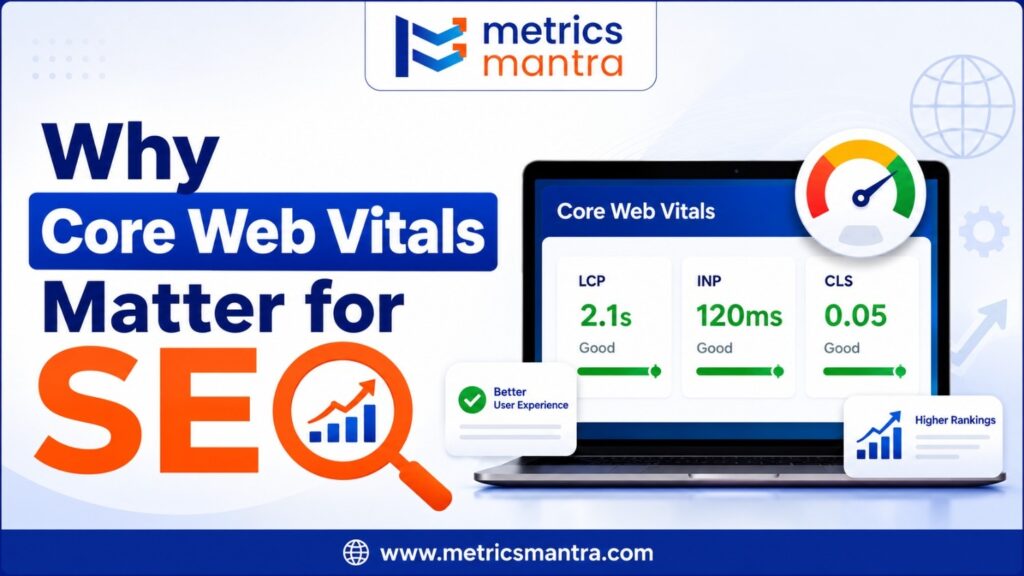
Have you ever visited a website that took too long to load or kept moving while you were trying to click a button? It can be frustrating, and most people leave without waiting. This is exactly why Core Web Vitals matter for SEO. Core Web Vitals are a set of Google metrics that measure how fast, stable, and responsive a website is. A website that offers a smooth user experience is more likely to keep visitors engaged, improve conversions, and perform better in Google Search.
In this guide, you’ll learn why Core Web Vitals matter for SEO, how they affect your website’s rankings, and the practical steps you can take to improve them. Whether you own a business website, run an online store, or manage a WordPress site, understanding these important metrics can help you increase organic traffic, deliver a better user experience, and stay ahead of your competitors.
Why Core Web Vitals Matter for SEO
Core Web Vitals matter for SEO because they help Google understand how users experience your website. These metrics measure how quickly your pages load, how responsive they are, and how visually stable they remain while loading. A website that provides a fast and smooth experience is more likely to keep visitors engaged and encourage them to explore more pages.
Google considers Core Web Vitals as part of its page experience signals. While high-quality content remains the most important ranking factor, a website with good Core Web Vitals can gain an advantage when competing with similar pages. Better website performance also improves user satisfaction, which can positively impact your overall SEO efforts.
Better User Experience
A fast website creates a positive first impression. When pages load quickly and buttons respond instantly, visitors can easily browse your content without frustration. This leads to a better user experience, which is one of Google’s key priorities.
Lower Bounce Rate
Users often leave websites that are slow or difficult to use. By improving website speed and reducing loading delays, you can keep visitors on your site longer and reduce your bounce rate.
Higher Conversion Rate
Whether your goal is to generate leads, sell products, or receive enquiries, a smooth website experience helps users complete their actions more easily. Better Core Web Vitals optimization can lead to higher conversions and increased business growth.
Better Mobile Performance
Most users now browse websites on their smartphones. Optimizing Google Core Web Vitals ensures your website performs well on mobile devices, improving both user experience and mobile SEO.
Competitive SEO Advantage
Many websites still struggle with poor Core Web Vitals scores. By improving your website’s loading speed and performance, you can stand out from competitors and increase your chances of ranking higher in Google Search.
Long-Term SEO Growth
Improving Core Web Vitals is not just a one-time task. Regular monitoring and optimization help maintain a fast, reliable website that supports long-term SEO, increases organic traffic, and builds trust with both users and search engines.
The Three Core Web Vitals Explained
To understand why Core Web Vitals matter for SEO, you first need to know the three key metrics that Google uses to measure a website’s user experience. These metrics focus on how quickly your website loads, how fast it responds to user actions, and how stable it looks while loading. Improving these metrics can lead to better website speed, stronger page experience, and improved SEO performance.
Largest Contentful Paint (LCP) – Loading Performance
Largest Contentful Paint (LCP) measures how long it takes for the largest visible element on a webpage, such as a hero image, banner, or heading, to fully load. It reflects how quickly users can see the main content of your page.
Google’s recommended LCP score:
- Good: 2.5 seconds or less
- Needs Improvement: 2.5–4 seconds
- Poor: More than 4 seconds
Common causes of a poor LCP:
- Large, uncompressed images
- Slow web hosting or high server response time
- Render-blocking CSS and JavaScript
- Too many third-party scripts
How to improve LCP:
- Compress and optimize images
- Use a Content Delivery Network (CDN)
- Enable browser caching
- Remove unnecessary CSS and JavaScript
- Upgrade to faster hosting
Interaction to Next Paint (INP) – Responsiveness
Interaction to Next Paint (INP) measures how quickly your website responds when a user clicks, taps, or types. It replaced First Input Delay (FID) as Google’s responsiveness metric and provides a more accurate view of the overall user experience.
Google’s recommended INP score:
- Good: 200 milliseconds or less
- Needs Improvement: 200–500 milliseconds
- Poor: More than 500 milliseconds
Common causes of a poor INP:
- Heavy JavaScript files
- Long-running tasks
- Too many plugins or third-party scripts
How to improve INP:
- Reduce unnecessary JavaScript
- Remove unused plugins and scripts
- Break large tasks into smaller ones
- Optimize website code
Cumulative Layout Shift (CLS) – Visual Stability
Cumulative Layout Shift (CLS) measures how much a webpage unexpectedly moves while it is loading. A low CLS score ensures visitors can interact with your website without buttons, images, or text suddenly shifting.
Google’s recommended CLS score:
- Good: 0.1 or less
- Needs Improvement: 0.1–0.25
- Poor: More than 0.25
Common causes of a poor CLS:
- Images without width and height attributes
- Ads or banners loading late
- Dynamic content inserted above existing content
- Unoptimized web fonts
How to improve CLS:
- Set fixed dimensions for images and videos
- Reserve space for ads and embedded content
- Preload important fonts
- Avoid inserting content above existing elements
Core Web Vitals Benchmarks
If you want to understand why Core Web Vitals matter for SEO, you should first know what Google considers a good score. Google evaluates your website using three core Web Vitals metrics: Largest Contentful Paint (LCP), Interaction to Next Paint (INP), and Cumulative Layout Shift (CLS). Meeting the recommended benchmarks helps improve page experience, website performance, and your chances of ranking higher in search results.
| Core Web Vitals | Good | Needs Improvement | Poor |
| Largest Contentful Paint (LCP) | 2.5 seconds or less | 2.5–4 seconds | More than 4 seconds |
| Interaction to Next Paint (INP) | 200 milliseconds or less | 200–500 milliseconds | More than 500 milliseconds |
| Cumulative Layout Shift (CLS) | 0.1 or less | 0.1–0.25 | More than 0.25 |
How Google Measures Core Web Vitals
Google measures Core Web Vitals using real user data and performance testing tools to understand how your website performs in everyday conditions. If you’re wondering why Core Web Vitals matter for SEO, it’s because Google uses these metrics to evaluate your website’s page experience, which can influence user satisfaction and search visibility. Below are the main tools you should use to monitor and improve your website’s performance.
Google PageSpeed Insights
Google PageSpeed Insights is one of the easiest tools to check your website’s Core Web Vitals. Simply enter your website URL to see scores for Largest Contentful Paint (LCP), Interaction to Next Paint (INP), and Cumulative Layout Shift (CLS). It also provides practical suggestions to improve your website speed, loading performance, and overall user experience.
Google Search Console
The Core Web Vitals report in Google Search Console helps website owners monitor performance across all indexed pages. It groups URLs into Good, Needs Improvement, and Poor, making it easy to identify pages that require optimization and track improvements over time.
Chrome User Experience Report (CrUX)
The Chrome User Experience Report (CrUX) collects anonymous performance data from real Chrome users. Since this data reflects actual browsing experiences, Google relies on it to evaluate your site’s page experience and Core Web Vitals performance.
Lighthouse
Lighthouse is a free auditing tool available in Chrome DevTools. It analyzes your website and provides detailed reports on performance, accessibility, SEO, and best practices. It also highlights issues such as large images, unused CSS, and heavy JavaScript that may affect your Core Web Vitals.
Chrome DevTools
Chrome DevTools is useful for developers and SEO professionals who want to identify performance bottlenecks. It helps analyze loading times, layout shifts, and JavaScript execution, making it easier to fix issues that impact Core Web Vitals SEO and overall website performance.
Common Reasons Websites Fail Core Web Vitals
If your website has poor Core Web Vitals, it can lead to a slower user experience and lower SEO performance. Understanding these common issues is the first step to improving your website speed and knowing why Core Web Vitals matter for SEO. Below are the most common reasons websites fail Google’s Core Web Vitals assessment.
Large and Unoptimized Images
High-resolution images that are not compressed take longer to load, which increases the Largest Contentful Paint (LCP) time. Using modern image formats like WebP, compressing images, and setting the correct dimensions can significantly improve page speed.
Slow Web Hosting
A slow hosting server increases your website’s response time, making pages load more slowly. Choosing reliable hosting with good performance is essential for better website speed and Core Web Vitals optimization.
Too Many Plugins
Installing unnecessary plugins, especially on WordPress websites, adds extra code and requests that slow down your site. Keep only the plugins you need and remove inactive or outdated ones to improve performance.
Heavy JavaScript Files
Large JavaScript files can delay how quickly users can interact with your website, affecting Interaction to Next Paint (INP). Reducing unused JavaScript and loading scripts efficiently helps create a faster and more responsive website.
Render-Blocking CSS
CSS files that load before the main content can delay page rendering and increase loading time. Optimizing critical CSS and removing unused styles helps improve page experience and loading performance.
Poor Font Optimization
Custom fonts can slow down your website if they are not optimized. Using fewer font files, enabling font display swap, and preloading important fonts can reduce delays and improve visual stability.
Excessive Third-Party Scripts
Scripts from chat widgets, ads, social media, analytics, or tracking tools can increase loading time and affect responsiveness. Only use essential third-party scripts and load them asynchronously whenever possible.
No Browser Caching
Without browser caching, visitors have to download the same files every time they visit your website. Enabling browser caching allows files to be stored locally, reducing load times and improving the overall user experience.
Step-by-Step Guide to Improve Core Web Vitals
If you’re wondering why Core Web Vitals matter for SEO, the answer is simple—a faster, more stable website provides a better user experience, which can improve search rankings and conversions. Below are practical steps you can follow to improve your Core Web Vitals and overall website performance.
Optimize Images
Large, uncompressed images are one of the biggest reasons for slow websites. Compress images before uploading, use modern formats like WebP or AVIF, and resize images based on where they will appear. This helps improve Largest Contentful Paint (LCP) and speeds up page loading.
Enable Lazy Loading
Lazy loading delays images and videos until users scroll to them. This reduces the initial page load time and allows important content to appear faster, improving both website speed and user experience.
Minify CSS and JavaScript
Remove unnecessary spaces, comments, and unused code from your CSS and JavaScript files. Smaller files load faster, helping your website respond more quickly and improving Interaction to Next Paint (INP).
Remove Render-Blocking Resources
CSS and JavaScript files that load before your page content can delay rendering. Defer non-essential scripts and load only critical CSS first so visitors can see your content without unnecessary waiting.
Use a Content Delivery Network (CDN)
A CDN stores copies of your website on multiple servers around the world. Visitors receive content from the nearest server, reducing loading time and improving Core Web Vitals for users across different locations.
Enable Browser Caching
Browser caching stores static files such as images, CSS, and JavaScript on a visitor’s device. When they return to your website, pages load much faster because the browser doesn’t need to download the same files again.
Improve Server Response Time
A slow server increases page loading time and negatively affects website speed and SEO. Choose reliable hosting, enable server-side caching, and optimize your database to reduce the time to first byte (TTFB).
Optimize Web Fonts
Large font files or too many font styles can slow down your website. Use only the fonts you need, preload important fonts, and choose modern font formats to improve loading performance.
Reduce Third-Party Scripts
Widgets, chat tools, advertisements, and tracking codes can slow your website. Keep only essential third-party scripts and remove those that don’t provide real value.
Monitor Core Web Vitals Regularly
Improving performance is an ongoing process. Use tools like Google PageSpeed Insights, Google Search Console, and Lighthouse to track Core Web Vitals, identify issues, and monitor improvements over time.
Why Businesses Should Partner with Metrics Mantra for Core Web Vitals Optimization
Improving Core Web Vitals requires more than just installing a few plugins. It involves optimizing your website’s speed, fixing technical SEO issues, improving user experience, and continuously monitoring performance. That’s where Metrics Mantra can help. As a trusted digital marketing agency in Varanasi, we use proven strategies to improve your website’s Core Web Vitals, helping you achieve better SEO performance and higher search visibility.
Complete Core Web Vitals Audit
We perform a detailed website audit to identify issues affecting Largest Contentful Paint (LCP), Interaction to Next Paint (INP), and Cumulative Layout Shift (CLS). This helps us create a clear action plan for better website performance.
Technical SEO & Speed Optimization
Our team improves your website speed, reduces server response time, optimizes images, removes unnecessary scripts, and fixes render-blocking resources. These improvements enhance page experience and support better Google rankings.
WordPress Performance Optimization
If your website runs on WordPress, we optimize caching, image compression, CSS and JavaScript files, and plugin performance to improve Core Web Vitals without affecting your site’s functionality.
Ongoing Performance Monitoring
Website performance changes over time. We regularly monitor your Core Web Vitals, track improvements using tools like Google Search Console and PageSpeed Insights, and make continuous updates to keep your website optimized.
Drive More Traffic and Conversions
Understanding why Core Web Vitals matter for SEO is only the first step. Our goal is to turn a faster, more responsive website into higher organic traffic, better user engagement, and more qualified leads for your business.
Also Read: https://metricsmantra.com/how-to-rank-in-google-ai-overviews-for-local-businesses/
Conclusion
Understanding why Core Web Vitals matter for SEO is essential if you want your website to rank higher and provide a better user experience. Improving metrics like LCP, INP, and CLS can increase website speed, reduce bounce rates, and improve engagement. A fast, responsive, and stable website not only meets Google’s expectations but also builds trust with your visitors. By regularly monitoring and optimizing your Core Web Vitals, you can strengthen your technical SEO, boost organic traffic, and achieve long-term business growth. If you need expert help, Metrics Mantra can optimize your website for better performance and lasting SEO success.
Frequently Asked Questions
1. What are Core Web Vitals in SEO?
Core Web Vitals are Google’s website performance metrics that measure loading speed, responsiveness, and visual stability. They include Largest Contentful Paint (LCP), Interaction to Next Paint (INP), and Cumulative Layout Shift (CLS). These metrics help Google evaluate your website’s user experience and overall page quality.
2. Why Core Web Vitals matter for SEO?
Why Core Web Vitals matter for SEO is a common question because these metrics help improve user experience, website speed, and page performance. While content quality remains the most important ranking factor, good Core Web Vitals can improve your chances of ranking higher when pages offer similar relevance.
3. What are the three Core Web Vitals?
The three Core Web Vitals are Largest Contentful Paint (LCP), which measures loading speed, Interaction to Next Paint (INP), which measures responsiveness, and Cumulative Layout Shift (CLS), which measures visual stability. Together, they help assess how users experience your website.
4. What is a good Core Web Vitals score?
Google recommends an LCP of 2.5 seconds or less, an INP of 200 milliseconds or less, and a CLS score of 0.1 or lower. Meeting these benchmarks helps deliver a better page experience and supports stronger SEO performance.
5. How can I improve Core Web Vitals?
You can improve Core Web Vitals by optimizing images, enabling browser caching, reducing unused CSS and JavaScript, using a CDN, improving server response time, and implementing lazy loading. Regular testing with Google PageSpeed Insights and Google Search Console helps identify issues.
6. Do Core Web Vitals affect Google rankings?
Yes, Core Web Vitals are part of Google’s Page Experience signals. Although they are not the strongest ranking factor, they can positively influence rankings when combined with high-quality content, strong technical SEO, and relevant backlinks.
7. Which tools can check Core Web Vitals?
You can measure Core Web Vitals using Google PageSpeed Insights, Google Search Console, Lighthouse, Chrome DevTools, and the Chrome UX Report. These tools provide performance reports and recommendations to improve your website.
8. Are Core Web Vitals important for WordPress websites?
Yes. WordPress websites can experience Core Web Vitals issues due to heavy themes, too many plugins, or unoptimized images. Using performance optimization techniques such as caching, image compression, and code optimization can significantly improve scores.
9. How often should I check my Core Web Vitals?
It’s a good practice to review your Core Web Vitals every month or after making major website updates. Regular monitoring helps you identify performance issues early and maintain a fast, user-friendly website.
10. Can improving Core Web Vitals increase conversions?
Yes. A faster and more responsive website creates a better user experience, encouraging visitors to stay longer and complete actions such as making a purchase, submitting an inquiry, or contacting your business. Better performance often leads to higher engagement and improved conversion rates.